Transform Your LMS into an
AI Insights Engine
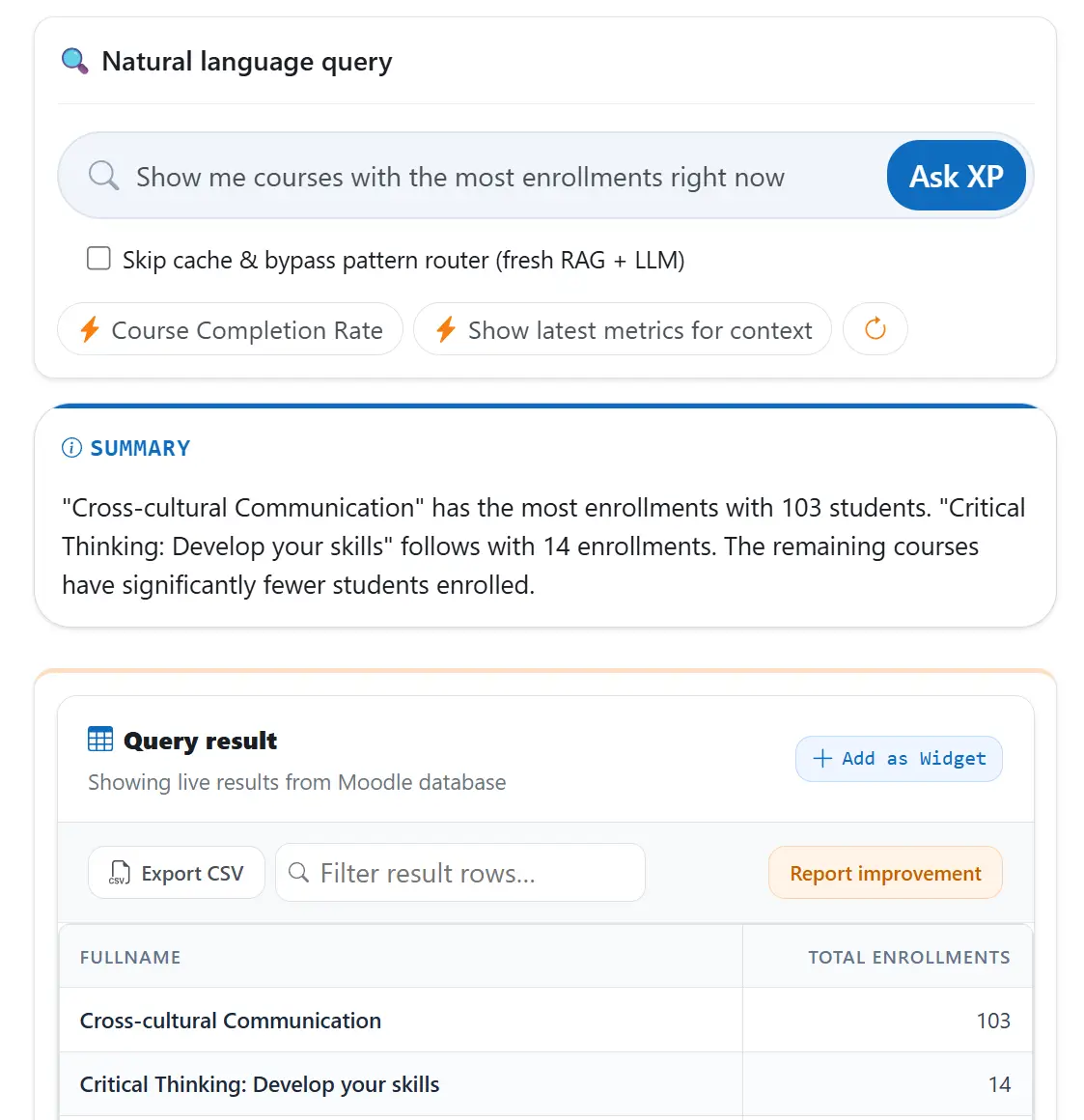
Ask Questions, Get Answers
Retrieve complex information simply by typing in the search bar. Our AI handles the translation and fetches live results from your database without requiring any coding or SQL knowledge.
- No SQL required.Just type what you want to know in plain English.
- Powered by AI.Understands context and intent, not just keywords.
- Instant answers.Results surface in real time from your live data.
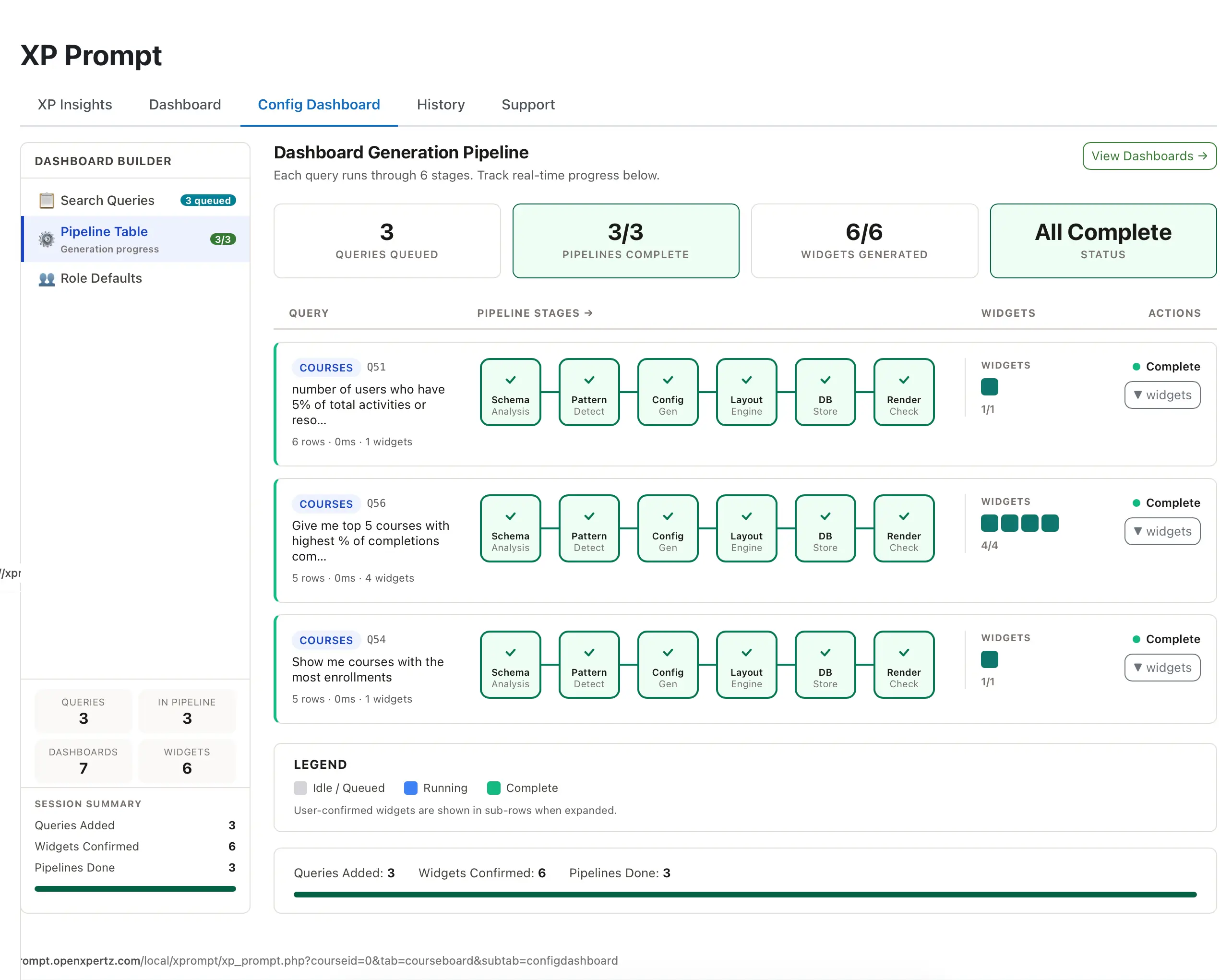
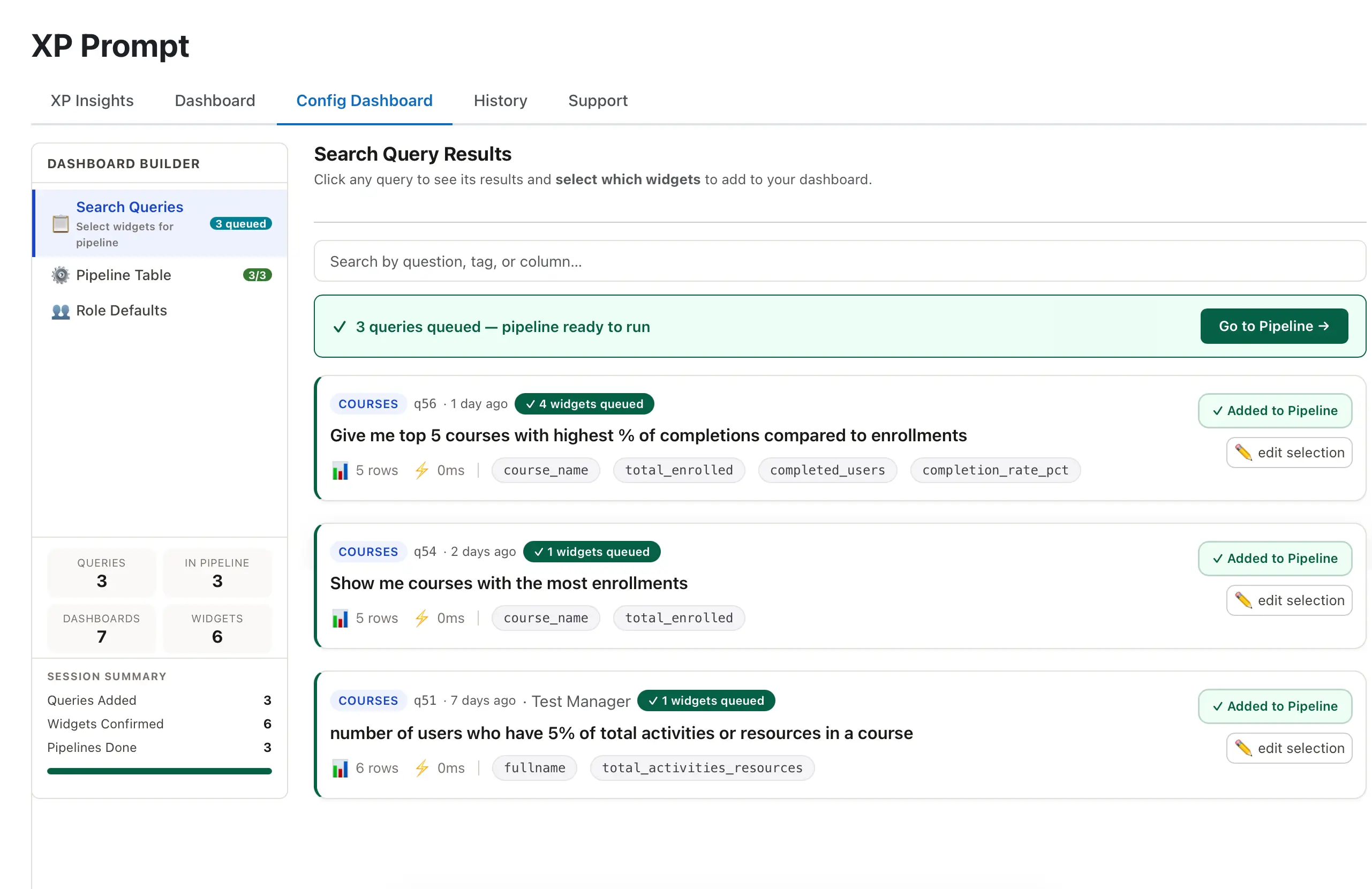
Dynamic, Role-Centric Dashboards
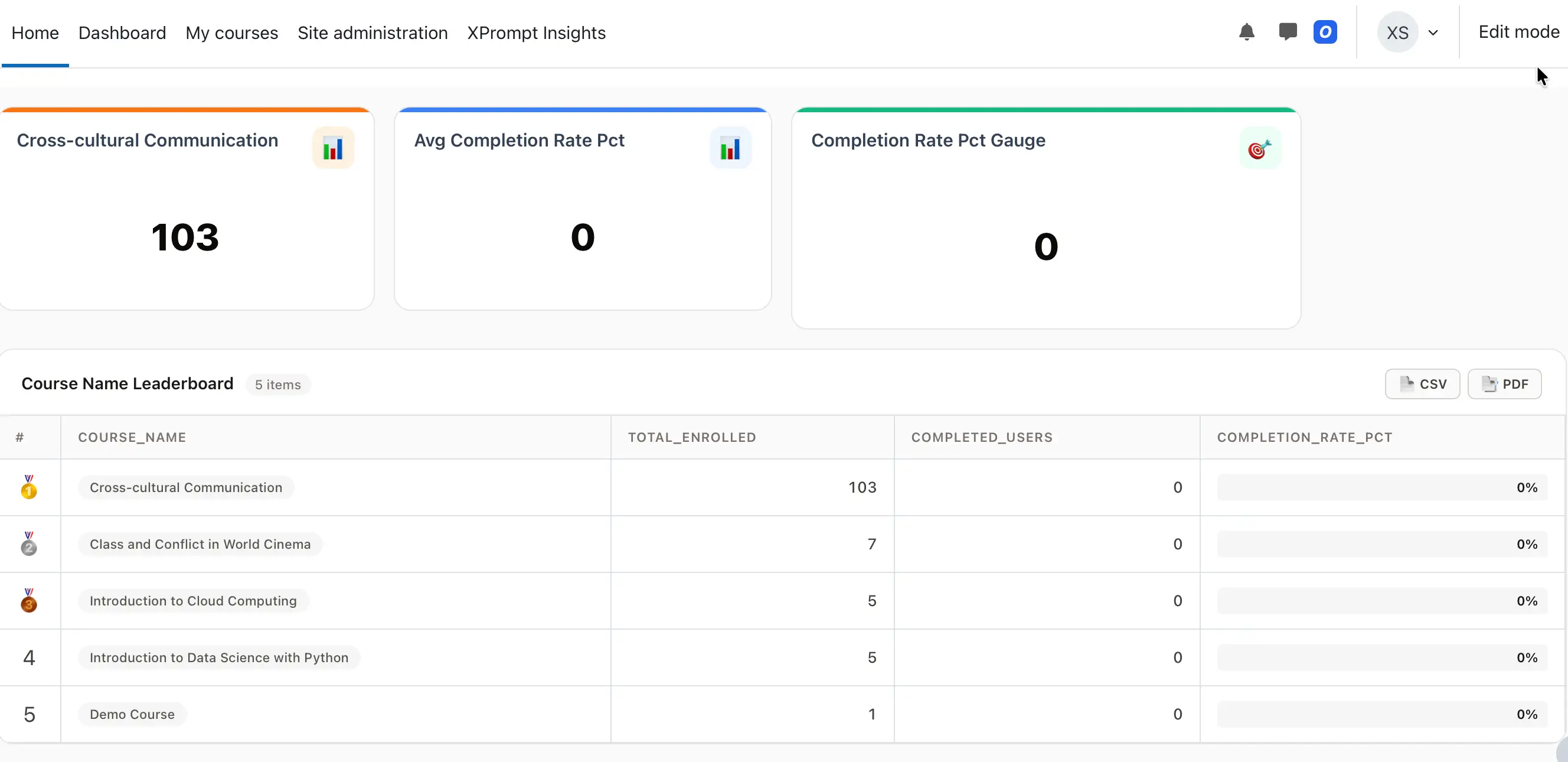
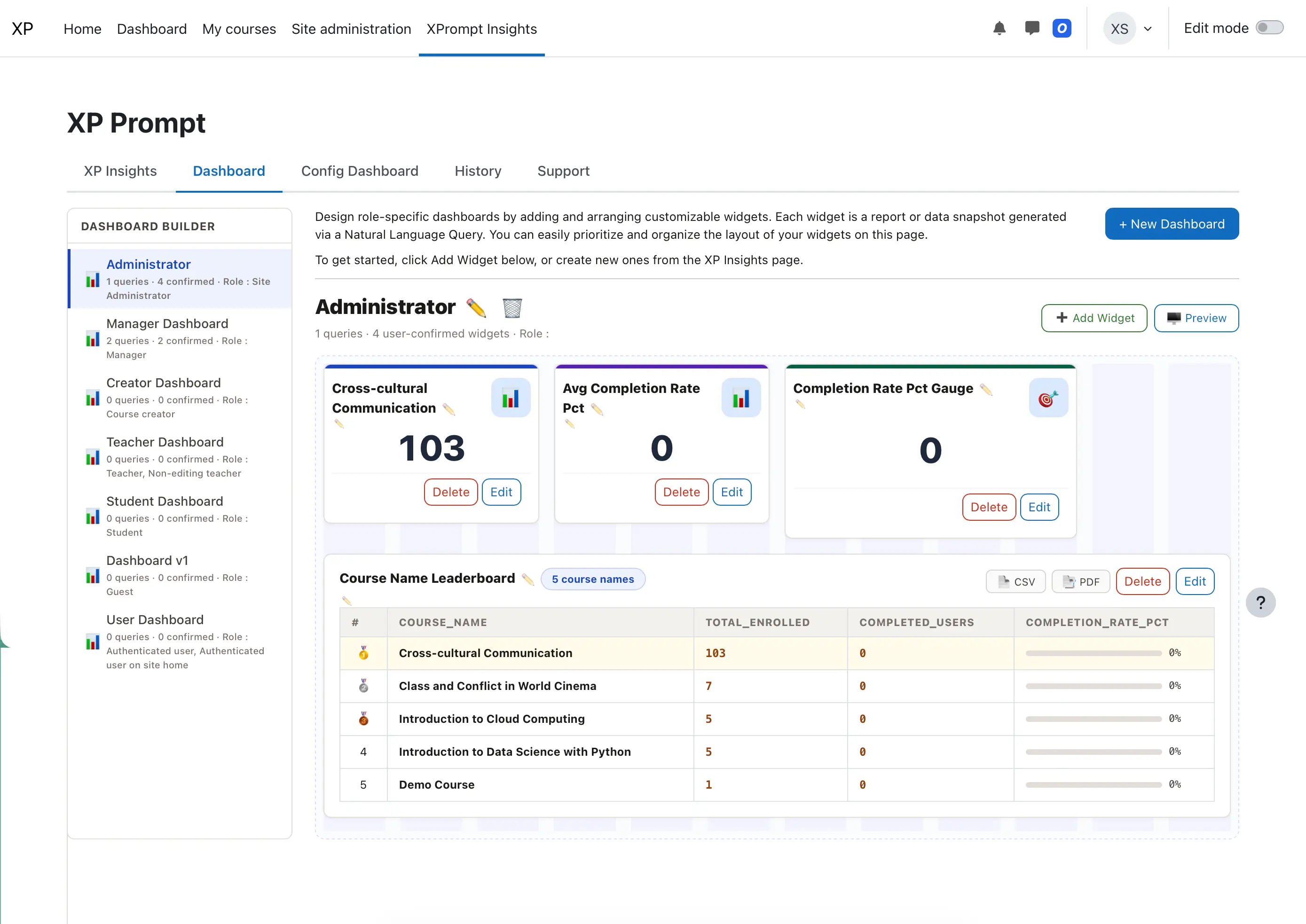
Transform any query result into an interactive dashboard widget with a single click — automatically personalized by role.
- Instant Access.View personalized insights immediately upon login.
- Customized for Roles.Admins can tailor specific report selections for different user roles.
- Visual Reports.Automatically generate graphs and charts from your data.
The Instructor's Always-On AI Agent
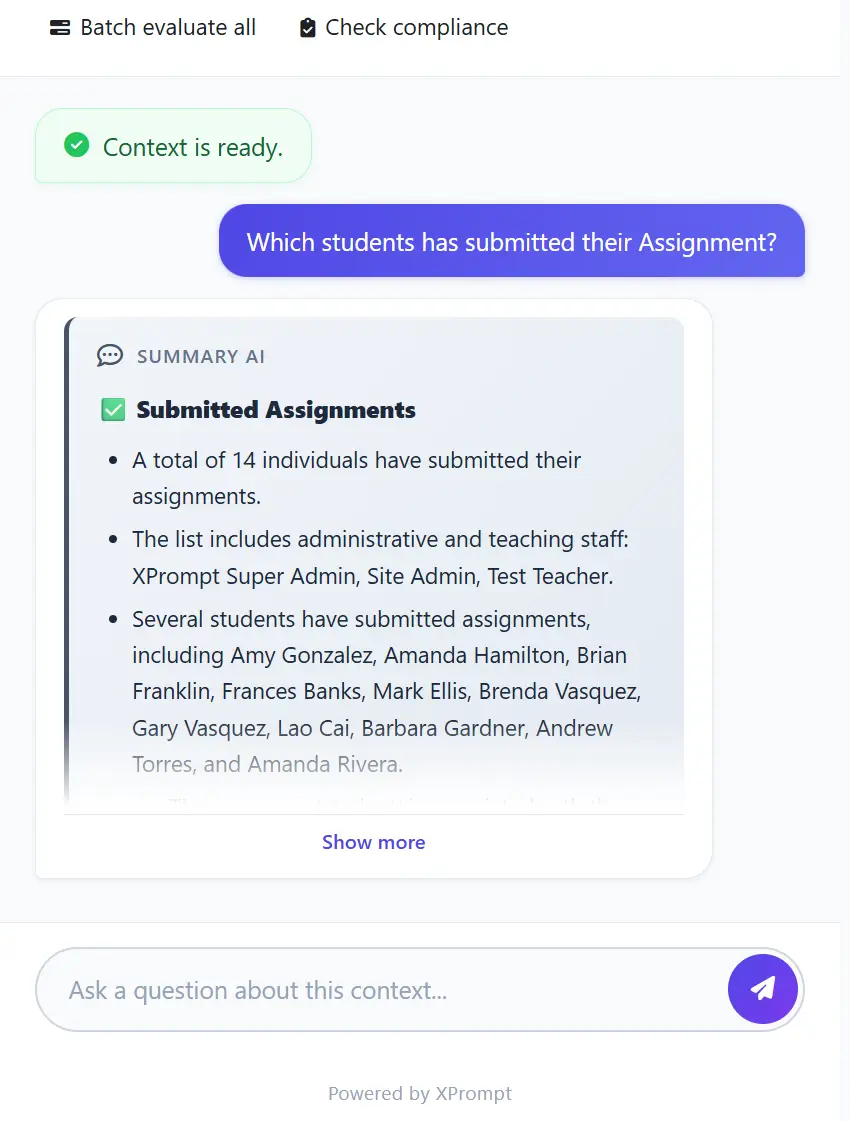
Empower educators with a persistent chat interface designed to streamline administrative workflows — available 24/7.
- Conversational Checks.Ask for submission statuses or grade averages in real-time.
- Instant Export.Download any AI-generated list as a CSV for immediate use.
- Efficiency.Eliminate the need to navigate through manual reports or deep menus.
Advanced Admin Control & Transparency
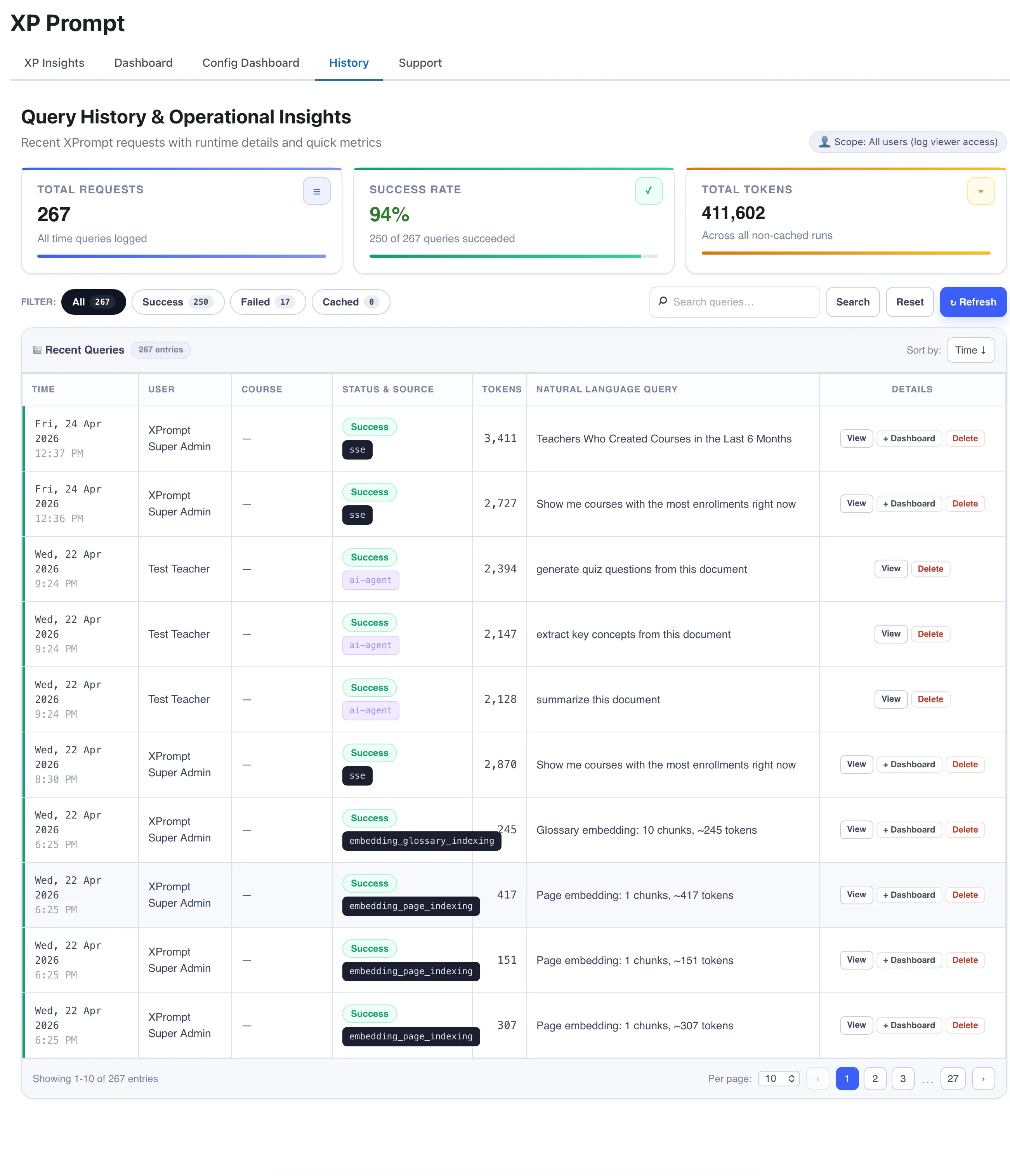
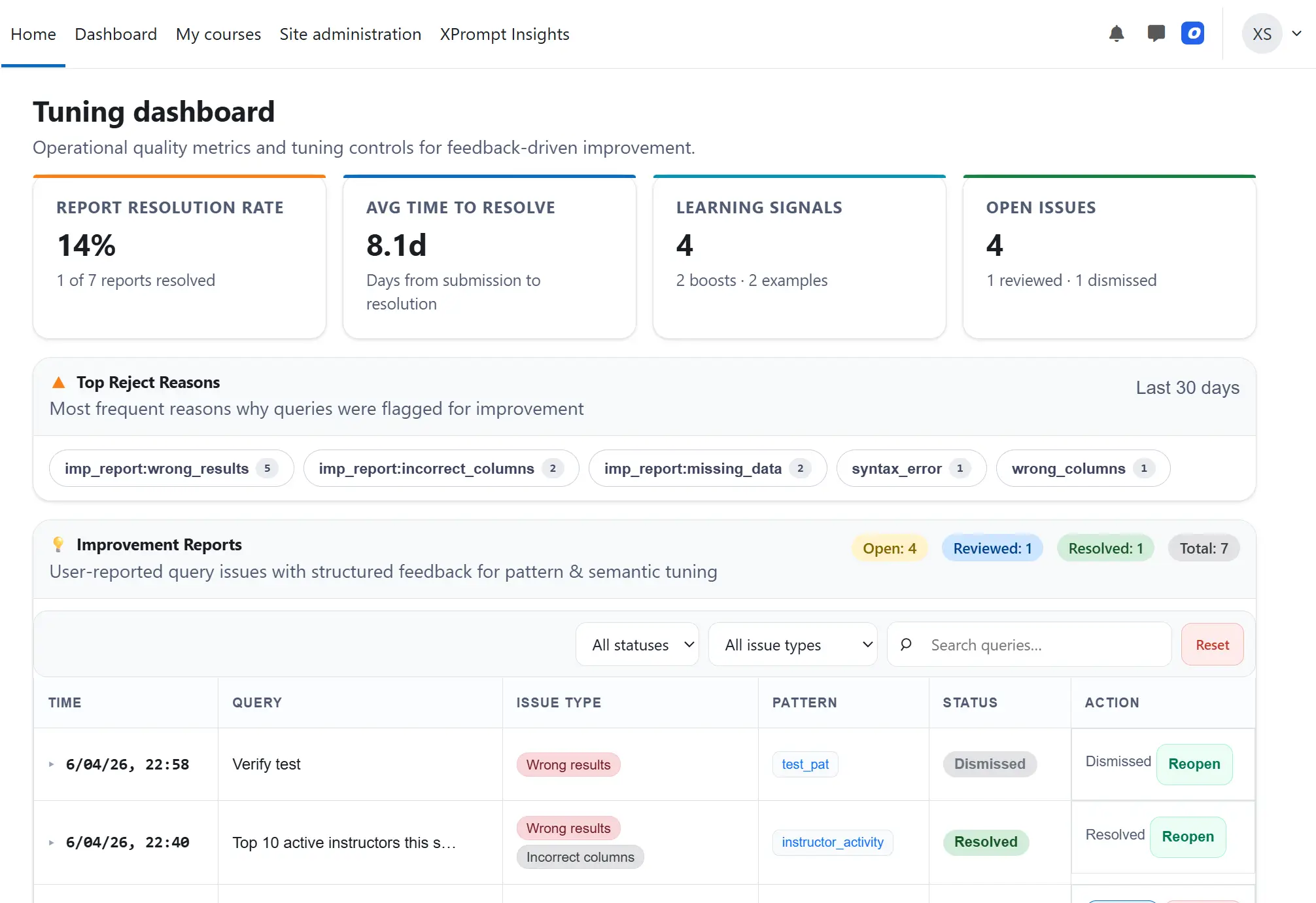
Maintain total oversight of your AI ecosystem with specialized management tools built for administrators.
- Tuning Dashboard.Monitor and audit quality, fine-tune queries for maximum accuracy.
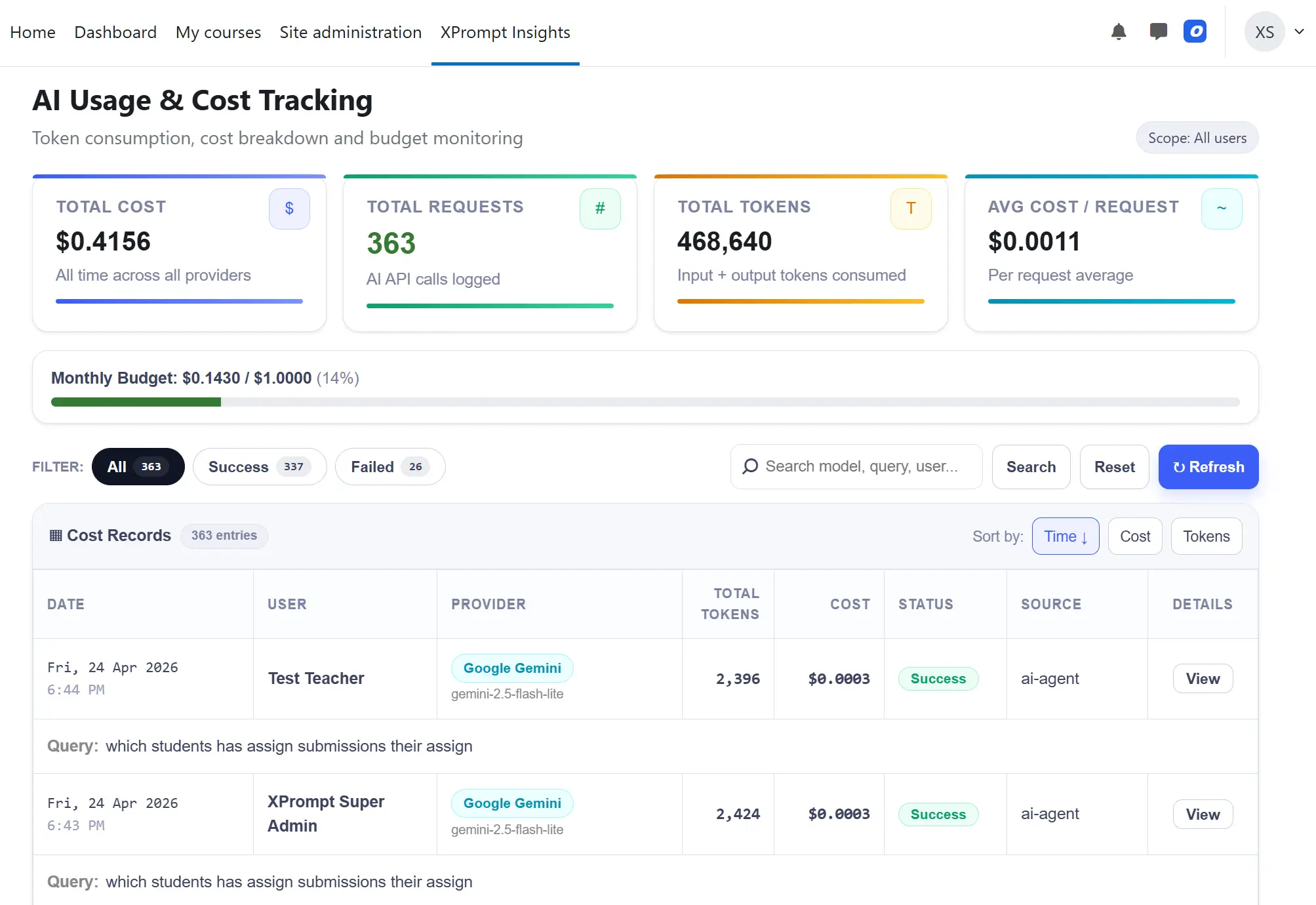
- Cost Tracking.Keep track of token consumption and budget usage for all AI API calls.
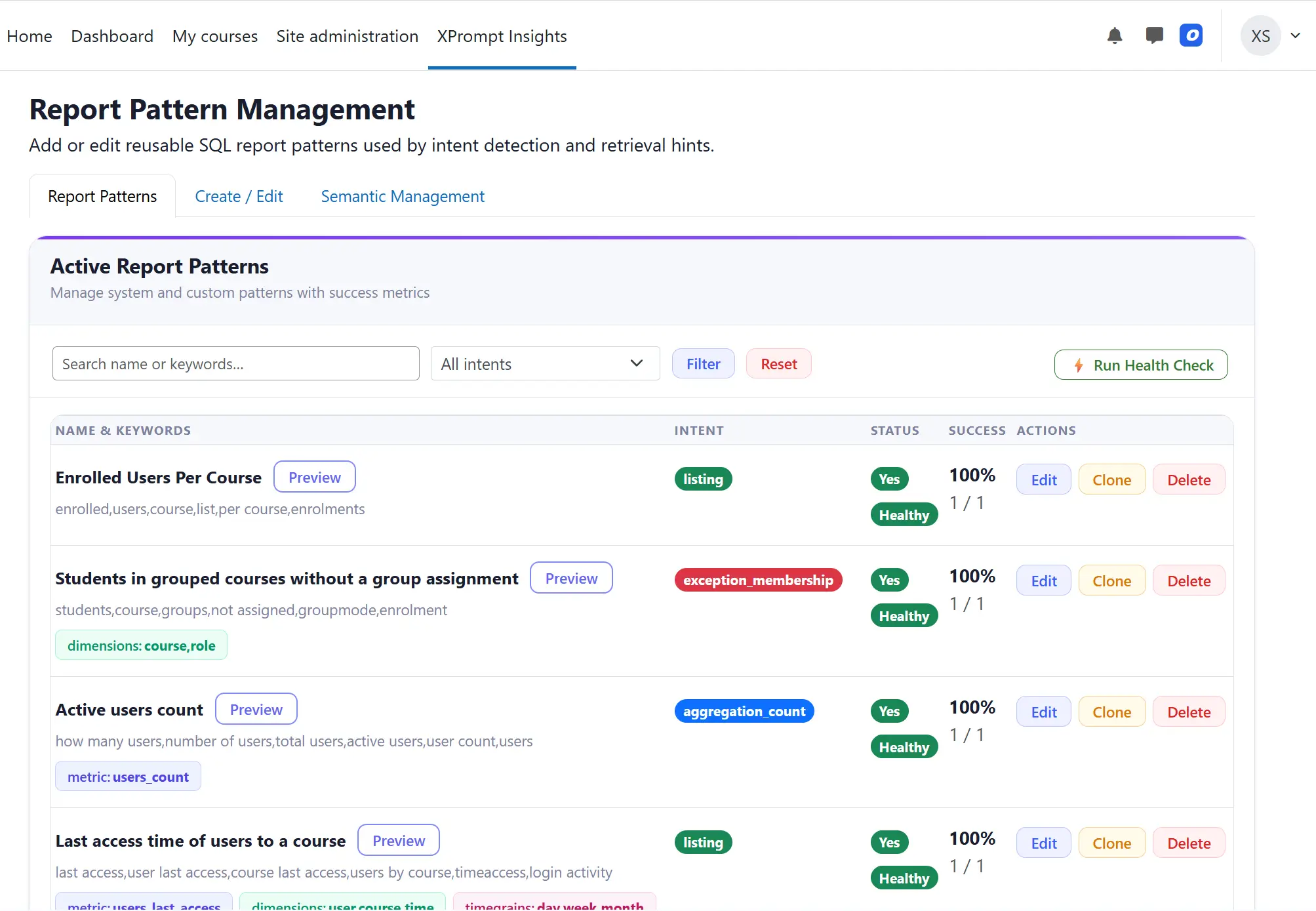
- Pattern Management.Review, edit, and reuse built-in SQL patterns to optimize future searches.
Omni-Content Search
Search is made real now with AI capability. The chatbot doesn't search just file names — it actually cross-references content within multimedia assets to deliver instant, accurate answers.
- Documents, Videos, Audios.Search content within any file type your LMS hosts.
- SCORM and H5P content.Extends AI search deep into packaged eLearning modules.
- Citation of Source.Every answer references the exact source material it was drawn from.

Simple, Transparent Pricing
Everything included. One price.
XP Insights Purchase
- Technical Support Included
- One-time Installation Support
- One-time 2-hour Training
- Available for Moodle 5.0+ versions
- Database compatibility: MySQL, PostgreSQL
- Configure your AI: OpenAI, Claude, Gemini & other popular LLMs
- Download as a plugin & install
Frequently Asked Questions
Still can't find what you need? and we'll help you out.
Unlike the native Report Builder, XP Insights requires zero SQL knowledge. By integrating AI, it allows users to simply ask questions in natural language to retrieve immediate, complex insights.
Key advantages include:
- No SQL required: Just ask questions naturally.
- Instant Complex Insights: Data is returned instantly in tabular and graphical formats.
- Export Options: Easily download your results.
- Custom Dashboards: Turn your queries into widgets for user dashboards.
Think of it this way: Easily query your Moodle database for instant insights and seamlessly convert them into dynamic reports and dashboards.
Upon purchase, you will receive an email with credentials to our support portal. From there, you can download the plugin code and access your license key.
Your 1-year subscription includes:
- A license key to enable the plugin.
- Full access to the plugin code.
- Online support for installation and AI model configuration.
- Assistance with creating widgets and dashboards.
- Technical support and bug fixes with a 24-hour response time (escalated based on ticket severity).
Note: This is an annual subscription. It must be renewed yearly to keep the license key active.
- Purchase the plugin online from our website.
- Check your email for support portal access instructions.
- Log in to download the plugin code and retrieve your license key.
- Install the plugin on your Moodle LMS.
- Update the AI provider key in XPrompt settings and start querying your database!